
Induction Cooker Beeping Solved: Common Causes and Fixes
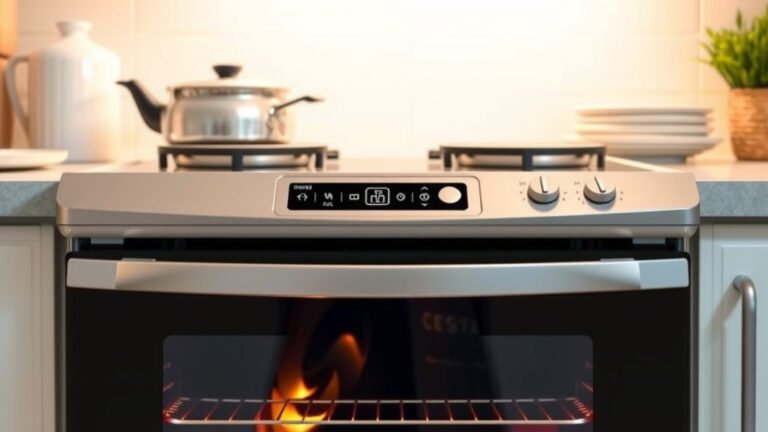
Your induction cooker is beeping because it’s trying to tell you something is wrong. This usually means there’s a mismatch between your cookware and the hob, or perhaps an issue with the unit itself. Don’t worry, it’s often a simple fix that you can solve right away.
Induction cooktops use magnets to heat your pans directly. This clever technology means you need compatible cookware, like cast iron or magnetic stainless steel. When the hob doesn’t detect the right kind of pan, or if the pan isn’t centered properly, it might beep to get your attention. We found this is the most common reason for unexpected sounds. Learn how induction hobs detect pans to ensure proper contact.
- Cookware compatibility is key.
- Ensure the pan is centered.
- Check for error codes.
- Clean the hob surface.
Let’s figure out why your induction cooker is making noise and get you back to cooking smoothly.
What’s That Beeping Induction Cooktop Trying to Tell You?
It can be startling when your induction cooker starts beeping unexpectedly. You’re just trying to make dinner, and suddenly it sounds like a tiny robot is trying to get your attention. Don’t panic! That beep is usually your appliance’s way of communicating a simple message. We found that most of the time, it’s an easy fix.
Induction cooktops are pretty smart. They use electromagnetic fields to heat your cookware directly. This means they need specific types of pans to work. When they can’t sense the right pan, or if the pan isn’t placed perfectly, they’ll often beep. It’s their way of saying, “Hey, something’s not quite right here!”
Cookware Confusion: The Most Common Culprit
Your induction hob is a bit like a bouncer at a club. It has a guest list for cookware, and only certain materials are allowed in. The main reason your cooktop might be beeping is that it doesn’t recognize the pot or pan you’re using.
Is Your Cookware Induction-Ready?
Induction cooking relies on magnetic fields. This means your cookware needs to be made of a magnetic material. Think of it like needing the right key for a specific lock. If the key doesn’t fit, the lock won’t open (or in this case, the hob won’t heat). Many experts recommend checking for a magnet symbol on the bottom of your cookware. Your cookware needs to be made of a magnetic material for induction cooking.
Generally, the following materials work well:
- Cast iron: It’s a classic for a reason!
- Magnetic stainless steel: Look for pots and pans labeled “induction compatible.”
- Enameled steel or cast iron: These also have magnetic properties.
What about other materials? Usually, glass, copper, aluminum, and non-magnetic stainless steel won’t work. They’re just not magnetic enough for the induction field to grab onto. If you’re unsure, try sticking a regular refrigerator magnet to the bottom of your pan. If it sticks firmly, your pan is likely compatible.
The Placement Puzzle: Is Your Pan Centered?
Even if you have the right cookware, placement matters. Induction hobs need the pan to be positioned correctly over the heating element. If your pot or pan is off-center, or if it’s too small for the designated cooking zone, the hob might not be able to detect it properly. We found that slightly adjusting the pan’s position often resolves the beeping. It’s like making sure the needle is perfectly placed on a record to play music.
Some cooktops have specific zones that need to be fully covered by the base of your pan. If the pan is too small, it might only be touching part of the sensor. This can confuse the hob. Always try to use cookware with a base that matches the size of the cooking zone as closely as possible.
Error Codes: When the Beeping Means More
Sometimes, the beeping is accompanied by a small flashing light or a number on the display. This is your cooktop showing an error code. These codes are like a secret language designed to tell you exactly what’s wrong. We found that consulting your user manual is the best way to decipher these codes.
Decoding Common Error Messages
Different brands have different codes, but some are quite common. For instance, a “U” or “F” code might indicate a problem with the cookware or its placement. An “E” code could point to an internal issue with the appliance itself. Always have your manual handy.
If you can’t find your manual, a quick online search for “[Your Cooktop Brand] + [Your Model Number] + error codes” can often yield results. Many manufacturers provide downloadable PDFs of their manuals on their websites. Researching the code will help you understand if you need to adjust your pan or if it’s time to call for professional help.
A Clean Surface is a Happy Surface
Believe it or not, a little bit of mess on your induction hob can sometimes cause it to beep. Think of the surface as a communication channel. If that channel is blocked, the message might not get through.
Grease and Debris: The Unseen Obstacles
Food spills, grease splatters, or even condensation can interfere with the hob’s sensors. These particles can create a barrier between the pan and the induction element. Many experts suggest keeping the cooking surface clean and dry. A light cleaning after cooking can prevent future beeping issues. We found that a simple wipe-down with a damp cloth often does the trick.
Stubborn spots might require a specialized ceramic hob cleaner. Make sure you follow the manufacturer’s instructions for cleaning. Never use abrasive pads or harsh chemicals, as these can scratch the surface. A clean hob not only prevents beeping but also keeps your kitchen looking sharp.
Empty Pot Alert
Did you accidentally turn on a burner with nothing on it? Induction cooktops are designed to detect heat. If there’s no pot or pan, or if the pot is empty and starts to overheat, the hob might beep to alert you. This is a safety feature designed to prevent damage to both the cookware and the cooktop itself. Always ensure there’s food or liquid in your pan before heating.
When to Seek Professional Help
While most beeping issues are simple to resolve, sometimes there might be a deeper problem with your induction cooker. If you’ve tried everything—checked your cookware, ensured proper placement, cleaned the surface, and even consulted error codes—and the beeping continues, it’s probably time to call in an expert.
This could mean there’s an issue with the internal components of the appliance. Continuing to use a malfunctioning unit might cause further damage or pose a safety risk. Many manufacturers offer warranties, so check if your appliance is still covered. A qualified technician will have the tools and knowledge to diagnose and fix more complex problems.
Quick Troubleshooting Checklist
Here’s a quick rundown to help you silence that beeping:
- Check Cookware: Does it have a magnet symbol? Does a magnet stick firmly?
- Center Your Pan: Is the pot or pan fully covering the heating zone?
- Clean the Surface: Wipe down the hob to remove any debris or moisture.
- Ensure Contents: Is there food or liquid in the pan? Never heat an empty pot.
- Look for Codes: Do you see any error numbers or letters on the display?
- Consult Manual: Refer to your user guide for specific instructions and error codes.
Conclusion
Your induction cooker beeping is usually a friendly alert, not a cause for alarm. We found that most of the time, the issue comes down to your cookware compatibility or placement. Simple checks like using a magnet on your pots and pans can quickly tell you if they’re induction-ready. Ensuring your pan is centered on the cooking zone and keeping the hob surface clean can also resolve many beeping incidents.
If you’ve tried these common fixes and the beeping persists, it might be time to consult your manual for error codes or contact a professional. You’ve got this!
Frequently Asked Questions
Can I use any pan on an induction cooktop?
No, you can’t use just any pan. Induction cooktops require cookware made of magnetic materials. Test your existing pots and pans by seeing if a refrigerator magnet sticks firmly to the bottom. If it does, your cookware is likely compatible.
What if my pan is induction-ready but the cooktop still beeps?
Even with the right cookware, proper placement is key. Make sure your pan is centered on the cooking zone it’s intended for. Ensure the pan’s base is large enough to cover most of the zone. Sometimes, slightly adjusting the pan’s position can fix the beeping.
How do I clean my induction cooktop without causing it to beep?
Keep your cooktop clean and dry. Wipe it down with a damp cloth after cooking. For tougher messes, use a specialized ceramic hob cleaner and follow its instructions carefully. Avoid abrasive pads, as they can scratch the surface and potentially interfere with sensors.
What does it mean if my induction cooktop shows an error code when it beeps?
An error code, often displayed as a letter or number, indicates a specific issue with your cooktop. It’s your appliance’s way of giving you more detailed information. Always refer to your user manual to decode these messages. It will guide you on whether the problem is with the cookware, its placement, or the unit itself.
Is it dangerous to use an induction cooktop that keeps beeping?
While most beeping is a minor issue, a persistent, unresolvable beep might signal a more serious problem. If you’ve exhausted all troubleshooting steps and the beeping continues, it’s best to stop using the appliance. This ensures your safety and prevents potential damage to the unit. Contact a qualified technician for further assistance.