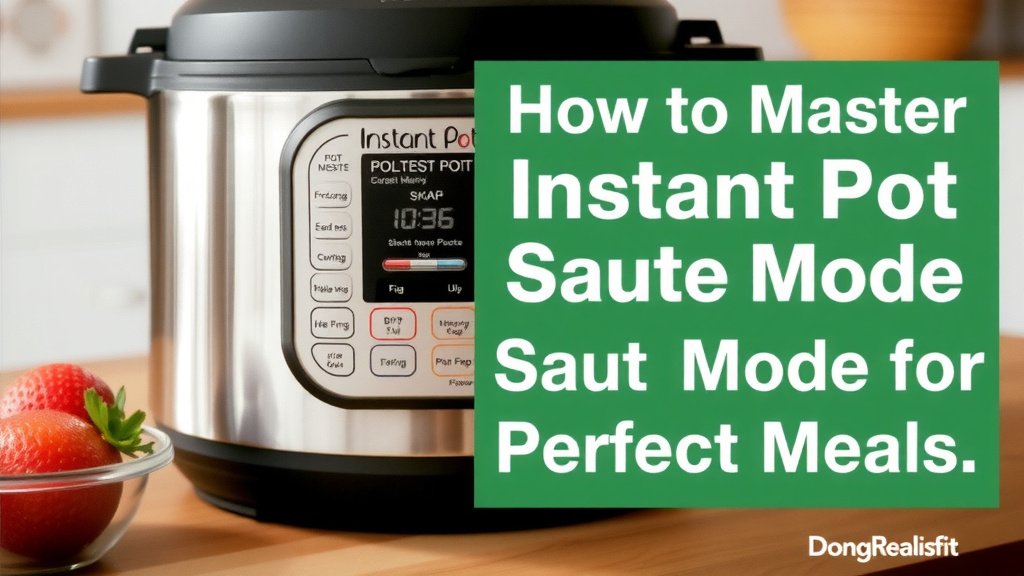
Master Instant Pot Saute Mode for Perfect Meals
You can absolutely use your Instant Pot’s Saute mode to brown meats and soften vegetables. It’s a game-changer for one-pot meals. This handy function lets you skip extra pans. You get more flavor directly in your Instant Pot. It’s perfect for building a delicious base for stews and chilies.
Think of Saute mode as your Instant Pot’s built-in stovetop. It heats the inner pot to sear ingredients. This step is key for developing rich flavors. Many recipes call for it before pressure cooking. It really makes a difference in the final dish.
TL;DR:
- Instant Pot Saute mode works like a stovetop.
- Use it to brown meat and soften veggies.
- It builds flavor for one-pot meals.
- Great for stews, chilies, and more.
- Prepares your ingredients before pressure cooking.
Let’s walk through exactly how to use your Instant Pot’s Saute mode step by step. We’ll cover the settings and how to get the best results.
Mastering Your Instant Pot’s Saute Function
Your Instant Pot isn’t just for pressure cooking. Its Saute mode is a hidden gem. You can brown meats and cook down aromatics right in the pot. This saves you dishes and builds amazing flavor. It’s the perfect first step for many delicious meals.
Think of Saute mode as your Instant Pot’s built-in stovetop. It heats the inner pot to sear ingredients. This step is key for developing rich flavors. Many recipes call for it before pressure cooking. It really makes a difference in the final dish.
How Saute Mode Works
Understanding the Heat Levels
The Saute mode on your Instant Pot offers several heat settings. These are usually labeled Less, Normal, and More. These correspond to low, medium, and high heat on a traditional stovetop. Understanding which one to use is key to getting great results. You want the right heat for the job. We’ll break them down so you can choose wisely.
The ‘Less’ Setting (Low Heat)
The ‘Less’ setting is your low heat option. It’s great for simmering. You can use it to gently cook down onions or garlic without burning them. It’s also good for reducing sauces or keeping food warm after cooking. This setting is much like a slow simmer on your stove. It allows for slow flavor development.
The ‘Normal’ Setting (Medium Heat)
This setting is your go-to for everyday cooking. ‘Normal’ is comparable to medium heat on your stove. It’s perfect for sautéing vegetables like bell peppers and mushrooms. It also works well for browning ground meat. You’ll use this setting most often for general cooking tasks.
The ‘More’ Setting (High Heat)
Crank it up with the ‘More’ setting! This is your high heat. It’s ideal for achieving a good sear on meats like steak or chicken thighs. You can also use it to quickly brown ground beef or turkey. Just be careful not to burn your ingredients on this setting. A good sear locks in juices and adds fantastic flavor.
Choosing the Right Pot and Oil
You’ll be using the stainless steel inner pot that comes with your Instant Pot for Saute mode. It heats up evenly and is durable. When it comes to oil, most cooking oils work well. Oils with a high smoke point are generally recommended. This includes options like avocado oil, canola oil, or vegetable oil. Olive oil can also be used, but be mindful of its lower smoke point, especially on the ‘More’ setting. You don’t need a lot of oil. Just enough to coat the bottom of the pot to prevent sticking.
Step-by-Step Guide to Using Saute Mode
Ready to give it a try? It’s simpler than you might think! Follow these easy steps to get started with your Instant Pot’s Saute function. You’ll be building flavor like a pro in no time.
- Prepare Your Ingredients: Chop your veggies and have your meat ready to go. Make sure everything is prepped before you start.
- Place Inner Pot: Ensure the stainless steel inner pot is clean and dry. Place it inside the Instant Pot base.
- Select Saute Mode: Press the “Saute” button on your Instant Pot.
- Choose Your Heat Level: Select “Less,” “Normal,” or “More” based on your recipe or cooking needs. The display will show your selection.
- Add Oil: Wait for the pot to heat up slightly, then add your cooking oil. You’ll know it’s hot when the oil shimmers.
- Add Ingredients: Carefully add your food to the hot oil. Don’t overcrowd the pot! This is crucial for proper browning.
- Cook and Stir: Stir your ingredients as needed. For meats, brown them on all sides. For vegetables, cook until softened or desired tenderness.
- Stop Saute: Once your food is prepped, press the “Cancel” button. This stops the heating process.
- Deglaze (Optional but Recommended): If there are browned bits stuck to the bottom of the pot, add a little liquid (like broth or water). Scrape them up with a wooden spoon. This adds extra flavor and prevents a “Burn” notice later.
- Proceed with Recipe: Now you’re ready for the next step in your recipe, like adding other ingredients and pressure cooking.
Tips for Perfect Saute Results
Want to get the most out of your Saute mode? Here are a few expert tips we found that can help. They’ll ensure your ingredients are cooked perfectly every time. These little tricks make a big difference.
Don’t Crowd the Pot
This is perhaps the most important tip for browning meat. Overcrowding the pot steams your food instead of searing it. This means you won’t get that lovely brown crust. Work in batches if necessary. You want enough space for heat to circulate around each piece. This allows for even cooking and browning. Many home cooks find this makes a huge difference in flavor.
Use the Right Utensils
Stick to utensils that won’t scratch your inner pot. Wooden spoons or silicone spatulas are ideal. Avoid metal utensils as they can damage the non-stick coating. They can also leave scratches on the stainless steel. We found that having a good set of silicone tools makes cooking much easier.
Listen and Look
Pay attention to the sounds and smells. Sizzling is good! A burning smell is not. Your senses are your best guide. If things start smoking excessively, turn down the heat or press “Cancel.” You can always add more heat if needed. It’s harder to fix burnt food.
Deglazing is Your Friend
Remember those browned bits stuck to the bottom? They are pure flavor! Adding a little liquid and scraping them up is called deglazing. This process not only adds flavor to your dish but also helps prevent the dreaded “Burn” notice during pressure cooking. Many culinary resources highlight deglazing as a fundamental technique (Culinary Institute of America).
Saute Mode vs. Stovetop Saute
How does Instant Pot Saute stack up against your trusty stovetop? They share similarities, but there are key differences. Understanding these will help you use your Instant Pot effectively. Let’s compare them side-by-side.
| Feature | Instant Pot Saute | Stovetop Saute |
|---|---|---|
| Heat Control | Pre-set levels (Less, Normal, More). Less precise than a dial. | Continuous adjustment with stove knobs. Very precise control. |
| Evenness of Heat | Can sometimes have a hot spot in the center. | Generally heats more evenly across the pan. |
| One-Pot Cooking | Excellent for starting dishes that will then be pressure cooked. Saves dishes. | Requires transferring food to another pot for pressure cooking or slow cooking. |
| Safety | Heats only the inner pot, reducing risk of spills on the base. | Open flame or electric elements require more attention to prevent accidents. |
| Energy Use | Efficient for small batches, but can take longer to heat up. | Faster to heat up, but can use more energy overall. |
While your stovetop offers more nuanced heat control, the Instant Pot’s Saute mode is incredibly convenient. It streamlines the cooking process for many recipes. You get great flavor development without extra pans. It’s a win-win for busy cooks!
When to Use Saute Mode
So, when exactly should you engage this handy feature? Saute mode is perfect for several culinary tasks. Think of it as your flavor-building station.
- Browning Meats: This is its primary use. Get a nice sear on ground beef, chicken, pork, or even steak before pressure cooking.
- Softening Aromatics: Sauté onions, garlic, celery, and carrots to build a flavorful base for soups, stews, and sauces.
- Toasting Spices: Gently toast whole spices or spice blends to release their aromatic oils before adding liquids.
- Reducing Sauces: After pressure cooking, you can often use Saute mode to thicken sauces by simmering them down.
- Making One-Pot Meals: Start your meal by sautéing ingredients, then add the rest and pressure cook all in the same pot.
Quick Checklist for Success
Here’s a handy checklist to ensure your Saute mode experience is a smooth one:
- Always use the stainless steel inner pot.
- Select the correct heat level (Less, Normal, More).
- Use an oil with a good smoke point.
- Don’t overcrowd the pot; work in batches if needed.
- Use wooden or silicone utensils to protect the pot.
- Remember to press “Cancel” when done.
Conclusion
You’ve now learned how to master your Instant Pot’s Saute mode. It’s your secret weapon for building deep flavors right in the pot. By understanding the heat levels and following our step-by-step guide, you can easily brown meats and sauté vegetables. Remember to avoid overcrowding the pot and to deglaze those tasty browned bits. Ready to start your next one-pot meal? Go ahead and try using the Saute mode on your very next recipe!
Frequently Asked Questions
Can I leave the lid off my Instant Pot when using Saute mode?
Yes, you should always leave the lid off when using Saute mode. The lid is designed for pressure cooking and will trap steam, which can prevent proper browning. Leaving it off allows moisture to escape and ensures you get a good sear.
How do I know if my Instant Pot is hot enough for Saute mode?
You’ll know your Instant Pot is hot enough when the cooking oil you add shimmers. You can also test the heat by adding a single drop of water; if it sizzles immediately, the pot is ready. This indicates the correct temperature for searing ingredients.
What’s the difference between ‘Normal’ and ‘More’ on Saute mode?
‘Normal’ mode is like medium heat on a stovetop, perfect for general sautéing of vegetables or browning ground meat. ‘More’ mode is high heat, ideal for getting a quick, deep sear on larger pieces of meat like steak or chicken thighs, but requires more attention to prevent burning.
Why am I getting a “Burn” notice when using Saute mode?
A “Burn” notice often happens when food particles stick to the bottom of the pot and overheat. This can occur if you’re not using enough oil, if you’ve overcrowded the pot, or if you haven’t deglazed properly. Always scrape up browned bits with liquid after sautéing.
Can I use Saute mode to reheat leftovers?
Yes, Saute mode can be a good option for reheating certain leftovers, especially those you’d like to crisp up a bit, like stir-fries or ground meat dishes. Use the ‘Normal’ or ‘Less’ setting and stir frequently to prevent burning.