How to Reset an Instant Pot in 5 Easy Steps (2026 Guide)
To reset your Instant Pot, press the Keep Warm/Cancel button, then unplug the unit for a few minutes. Plug it back in, and your Instant Pot should be reset to factory settings. That’s it—no toolbox required.
But sometimes a reset isn’t quite that simple. Depending on your model, you may need to know when to reset, what a reset actually fixes, and how to handle error codes like L or C messages that won’t go away. We researched the official guidance and common fixes so you don’t have to guess.
- The quickest reset is pressing Keep Warm/Cancel, then unplugging the pot for a few minutes.
- A full power cycle clears most glitches and stuck error codes.
- Resetting won’t erase your pot’s memory of pressure settings on most models.
- If errors keep coming back after a reset, the issue may be with the lid, float valve, or sensor.
- Knowing when to reset (and when not to) saves you time and stress.
Below, we walk through exactly how to reset your Instant Pot step by step, plus what to do when a simple reset doesn’t solve the problem. Let’s get your pot back in action.
Resetting Your Instant Pot the Right Way
The fastest reset is a soft reset: press Keep Warm/Cancel, then unplug the pot for a few minutes. Plug it back in and you’re starting fresh. Most glitches clear right up with this one move.
Think of it like restarting your phone. It sounds too easy, but we found that a simple power cycle fixes the majority of stuck programs, frozen displays, and mystery beeps.
Soft Reset vs. Full Power Cycle
There are two levels of reset, and knowing which one you need saves time. A soft reset cancels the current program. A full power cycle wipes the temporary memory entirely.
- Soft reset: Press Keep Warm/Cancel once. Use this when you picked the wrong setting.
- Full power cycle: Unplug for at least 5 minutes. Use this for error codes and frozen screens.
- Factory reset: Most models return to default settings after unplugging, since settings aren’t stored permanently.
Step-by-Step: Giving Your Pot a Fresh Start
Follow these steps in order. We recommend going slowly the first time so you know exactly what each step does.
- Press the Keep Warm/Cancel button to stop any running program.
- Turn the pressure valve to venting if the pot has pressure inside. Never open a pressurized lid.
- Unplug the power cord from the wall outlet.
- Wait at least 5 minutes. This lets the internal memory clear.
- Plug the pot back in and confirm the display shows a normal readout, like “OFF.”
That’s the whole process. If your display still acts strange after this, the problem probably isn’t the settings. It may be hardware.
What Gets Reset (and What Doesn’t)
Here’s some good news: a power cycle usually wipes temporary glitches without erasing much of anything you care about. We found that most Instant Pot models don’t store personal settings in permanent memory, so there’s nothing to re-enter.
| Item | Resets? | Notes |
|---|---|---|
| Active cooking program | Yes | Cancelled with Cancel or unplugging |
| Error codes on display | Usually | Power cycle clears most L and C codes |
| Clock/display defaults | Yes | Returns to “OFF” when idle |
| Safety sensors | Re-checks | Pot re-tests lid and valve on startup |
Common Error Codes and What a Reset Fixes
Error codes look scary, but most have simple causes. According to Instant Brands’ official support guidance, L codes are just past mode messages—they show what happened, not that something is broken.
Quick Error Code Decoder
| Code | Meaning | Fix |
|---|---|---|
| L0–L5 | Previous mode shown after cooking | Press Cancel or unplug to clear |
| C1–C5 | Sensor or heat issues | Unplug 5+ minutes; check for water under the inner pot |
| “Water” notice | Not enough liquid inside | Add at least 1 cup of water or broth |
| Lid message | Lid not seated correctly | Reposition lid until it clicks |
Notice a pattern? Almost every code starts with unplugging the unit. If the code returns after a clean power cycle, move on to the hardware checks below.
When a Reset Won’t Fix the Problem
Sometimes the pot isn’t confused. It’s trying to tell you something. If errors come back immediately after a reset, look at the physical parts first.
Check the Simple Stuff First
- The float valve: If it’s stuck up, the pot thinks it’s still pressurized. Gently wiggle it down.
- The sealing ring: A worn or misplaced ring causes steam leaks and failed pressurization.
- The inner pot placement: Lift it out and seat it back in. Food debris underneath can trigger sensor errors.
- The outlet: Plug something else, like a lamp, into the same outlet. You’d be surprised how often it’s the outlet.
Many experts say most “broken” multicookers are really just user-error fixes in disguise. Check these before assuming the worst.
Safety First: Handling a Pressurized Pot
Before you reset anything, make sure the pot isn’t under pressure. Safety guidelines from the USDA on pressure cooking stress that a pressurized lid should never be forced open.
If the float valve is up, let the pot release pressure naturally or use the venting method with a long spoon. Burn injuries from pressure cookers send people to emergency rooms every year, according to data shared by the National Library of Medicine. A few patient minutes beats a trip to urgent care.
Your Pre-Reset Safety Checklist
- Float valve is fully down before touching the lid.
- Power cord is unplugged before any cleaning or inspection.
- Pot has cooled if it recently finished a cooking cycle.
- Inner pot is cool enough to handle with bare hands.
- Lid is seated correctly before starting any new program.
Troubleshooting a Pot That Won’t Turn Back On
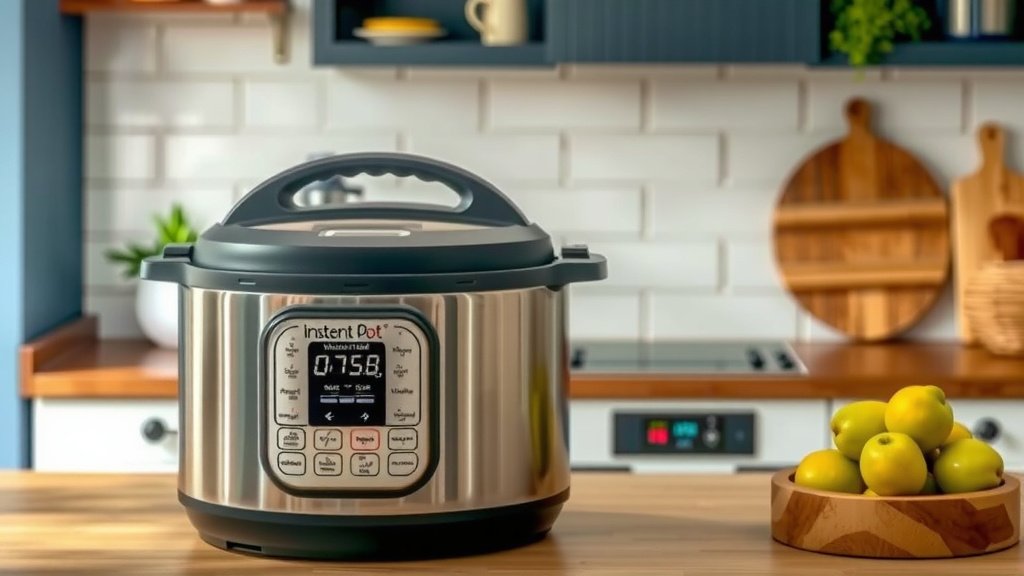
So you unplugged, waited, plugged back in—and nothing. Don’t panic yet. Work through this short list.
- Try a different outlet on a different circuit.
- Check the power cord connection where it meets the base. It should click in firmly.
- Look at the display in a dim room. Some models have faint idle screens.
- Press any button after plugging in. Some pots stay dark until touched.
If the pot stays completely dead across multiple outlets, the power cord or fuse may have failed. Contact Instant Brands support before buying anything new. Many models carry warranties that cover electrical faults.
How Often Should You Reset Your Instant Pot?
There’s no schedule here. Reset only when something acts wrong. Frequent resets aren’t harmful, but needing them every week signals a bigger issue—often moisture in the housing or a failing sensor.
We found that keeping the base completely dry prevents most repeat glitches. Wipe the housing groove under the inner pot after every wash. Water pooled there is a classic troublemaker.
Quick Answers Before You Plug Back In
Will Resetting Delete My Cooking Programs?
On most models, no. Basic Instant Pots don’t save custom programs permanently, so there’s nothing to lose. Newer models with app connectivity may need a quick re-pair with your phone.
Can I Reset While the Pot Is Hot?
You can unplug a hot pot safely. Just don’t add cold water to a hot inner pot or force the lid. Let heat and pressure settle first, then reset at your leisure.
What If the Display Shows Weird Symbols?
Garbled displays usually mean a power hiccup or moisture near the control panel. Unplug, dry the base thoroughly, and wait 10 minutes. If symbols persist, the control board may need service.
Conclusion
Resetting your Instant Pot comes down to one simple move: cancel the program, unplug for five minutes, and plug back in. That quick power cycle clears most frozen screens, stuck error codes, and mystery beeps without erasing your settings.
If the same error keeps coming back, the problem is likely physical—check the float valve, sealing ring, and the dryness of the base before assuming the worst. And always confirm the float valve is down before touching the lid.
Your next step: try the full power cycle on your pot today, and if the code returns, work through our hardware checklist above. Your pot is probably closer to working than you think.
Frequently Asked Questions
How long should I leave my Instant Pot unplugged to reset it?
Five minutes is the standard wait time we found works best. This gives the internal memory enough time to clear completely. If the display still acts glitchy, try 10 minutes before plugging back in.
Is there a reset button on my Instant Pot?
No, there’s no dedicated reset button. The Keep Warm/Cancel button combined with unplugging acts as your reset. Some newer models may have a settings menu where you can restore defaults manually.
Why does my Instant Pot keep turning on by itself?
This usually points to moisture in the control panel or a stuck button. Unplug the pot, let the base dry out for a full day, and check that no buttons are jammed. If it still self-starts, contact Instant Brands support.
Can resetting fix an Instant Pot that won’t pressurize?
Sometimes, but not usually. Failure to pressurize is more often caused by a worn sealing ring, an unsealed lid, or too little liquid inside. Try the reset first, then inspect the ring and add at least one cup of liquid.
Does resetting my Instant Pot affect the warranty?
No. Unplugging and power cycling your pot is completely safe and has no effect on your warranty. You only risk warranty issues by opening the base housing or attempting your own electrical repairs.